




Rated 5 out of
5
by
Tkenning from
Replacement
Excellent replacement printer. I like the automated double-sided printing and the individual ink cartridges. I like the three different ways to add paper especially the tray where I can keep the paper. The on and off button is a little confusing; push it and it comes right on but to turn it off, I have to hold the button down for a few seconds.
Date published: 2026-03-21
Rated 5 out of
5
by
Kay B from
Replacing my PIXMA MX922
My 8 year old MX922 finally gave out and I wanted to replace it with a Canon printer with all the same features - wireless, 4 functions, double-sided printing and double-sided scanning, so Canon recommended the TR9620a. The customer service rep said that Canon has an upgrade program, so I got a discount on the new printer. I love it, although I haven't been able to figure out how to do double-sided scanning. It prints quickly, and I really like the LED touch screen. I would buy any other brand - Canon is the best!
Date published: 2026-03-17
Rated 5 out of
5
by
Anonymous from
Printers
So Far this printer has done what I needed a little quicker than the one that broke down & I happy with it so far
Date published: 2026-02-27
Rated 5 out of
5
by
Bopel Besaies from
Great value, fast printing
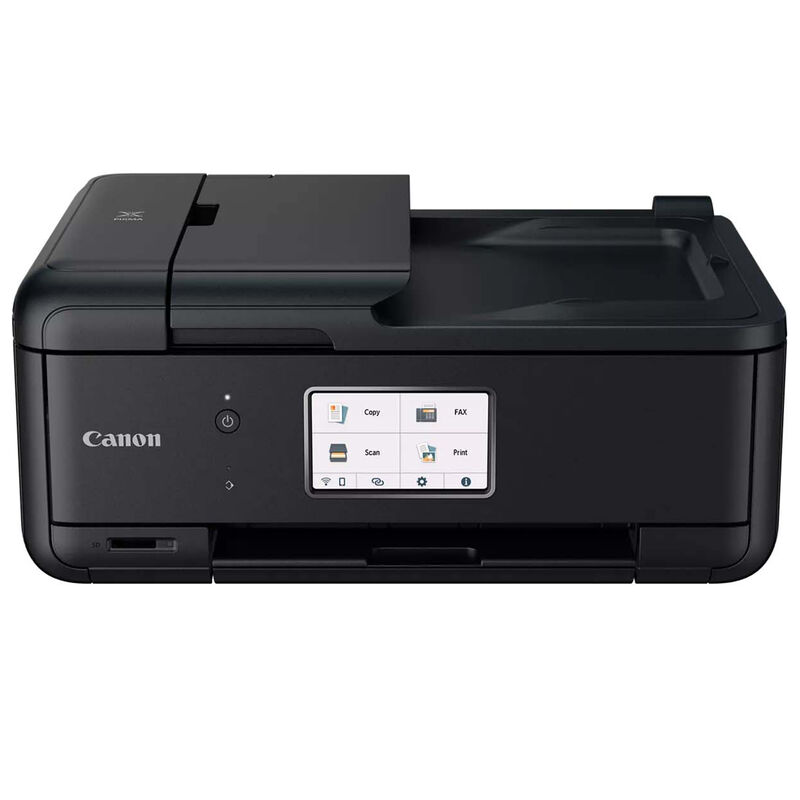
I bought this printer 6 months or so ago. It replaced my old unmentioned printer and before that I had another Canon. It has worked pretty well, though some of the features are a little iffy. Maybe i'm just slow, but I didn't even know that it HAD a back tray even though it kept bugging me about it, and it wouldn't print anything from the bottom cassette tray. Prints documents fast but photos (expected) slower. Is a HUGE upgrade from my old unmentioned... printer, that printer stopped working and would not connect to anything at all unless I had an odd app or something. This new printer has many cloud features like DropBox, Google drive, and even (for some reason) Google Classroom. This made me very happy as I could access and print my files without even having to download any odd app to make the printer even work. I also LOVE how the printer features an SD card slot, and not just fully replacing it with options on the Cloud. Many other printers lack on this and do not have SD card slots. The automatic scan feed or whatever it's called is marvelous. I don't have to sit there scanning each thing one by one. And as a bonus, it automatically detects when it's supposed to feed paper from that tray. It also has the ability to Fax, which I haven't used since I have no need to, but it's there. The printer is easy to get to know and operate, it connects to Wi-Fi well. I love it for printing out articles with four pages of a pdf in my google drive on one printer paper, while also being double sided. This means that I can print out 8 pages of an article about gardening on just one paper, while using the ink regularly used in 2 pieces of paper. I can read the text perfectly fine. The printing on documents is crisp and clean, easy to read, doesn't smudge. This printer is my everything printer, but some downsides can include the ink cost, but you can just get off brand ink, and it prints photos quite slowly. It is also kinda annoying when it beeps telling you to open the panel for it to print, but these hardly outweigh all the positive qualities of this printer. Thank you Canon for this amazing printer.
Date published: 2026-02-16
Rated 5 out of
5
by
Michael Butkiewicz from
Good printer
The new printer works fine. No problems. I have had great success with Canon. The technicians are very helpful
Date published: 2026-02-05
Rated 5 out of
5
by
jeh from
Love it!
So far I'm very satisfied with the printer. Easy setup, easy to use. good quality prints.
Date published: 2025-12-12
Rated 5 out of
5
by
Sioux Falls SD customer from
Fabulous Printer and Tech Support
My previous 4 in one printer died - Canon sent me a brand new one for less then I paid for the previous one. You can always get tech support on the phone, and they can help you on the phone. When my printer died, the tech questioned me about the amount of ink on hand and said it was best to get same printer because ink for a different Canon printer would end up being too costly because it would need a different ink. Ther printer was here in 3 days. Tech support is in the USA - you are not transferred to a tech overseas.
Date published: 2025-12-05
Rated 5 out of
5
by
Exra from
2nd Canon purchased
Has a lit of good features that make it easy to use
Date published: 2025-09-12
Rated 5 out of
5
by
GoCards from
Great printer
Awesome printer for the price, setup was a breeze, zero issues with it. Liking it way better than my old HP Officejet (which always had paper feeding issues, and printed MUCH slower)
Date published: 2025-08-22
Rated 5 out of
5
by
ArleneM from
Printer is great. "AI" help in my opinion "Not ready for Prime Time"
There were some "hickups" but once I contacted and visited with a great agent, who took care of the problem and gave me the information and help I needed, problem solved. It's a great printer and I'm very happy with it. "AI" is under the assumption it can help with any problem, sometimes you need a person! Once you get through to a "person" for me that made all the difference.
Date published: 2025-07-09
Rated 5 out of
5
by
SaltyTomK from
Pleasing performance!
This is my third Canon Printer, and I am sold on the Canon brand. Pictures are sharp and clear and the colors are true. I have downsized as I am now a widower, recently remarried. This printer meets my needs, for printing documents, pictures and copying. I am very pleased with this printer and I will continue to buy Canon products.
Date published: 2025-06-05
Rated 5 out of
5
by
Midwest Walt from
faster printing, happy my ink cartridges adaptable
very good printer ,a little delay installing it to my computer but the next day it kind of installed itself
Date published: 2025-03-05
Rated 5 out of
5
by
zoo76 from
Compact, Quiet, Capable
Compact, quiet, capable. I particularly like two paper trays, allowing letter and photo paper options on the fly.
Date published: 2025-01-22
Rated 5 out of
5
by
Old Tall One from
Excellent printer for the price.
I've had this printer in-use now for years. Very reliable. Excellent features for my home office use.
Date published: 2024-12-24
Rated 5 out of
5
by
ACAR from
Bargain photo printer
Been using this printer, sporadically, for about one year.
Very good 4X6 glossy photo printer, my primary decision point, at a low price. Fast text printing. Fast enough duplex printing.
No problem connecting to my WiFi or printing from iPhone or iPad. Initially could not print from Chromebook but now printing from Chromebook without issue.
Dislike the cost of Canon ink cartridges but can't argue with photo printing results.
Have never used the fax feature.
Date published: 2024-08-26
Rated 5 out of
5
by
Louisiana Kid from
Best of the Best printer
The TR8620a Canon printer is an excellent purchase. This printer replaces Canons TR8520, and I appreciate the service received from Canon’s technical support.
The features are outstanding with my TR8620a, and recommend CANON’s after service.
Date published: 2024-08-15
Rated 5 out of
5
by
BobP from
Outstanding all in one printer
Only set up for about one week, but seems to be an outstanding all in one printer.
Date published: 2024-05-09
Rated 5 out of
5
by
Rick1941 from
Great allo in one printer for the price.
Good prints and the menu for printing is much moar expanded than the TS9020 I had before. I doubt I will use the Fax functionality but the scanning works equally as well as the printing. The ability to print in draft saves ink on documents that you will only use once. Hopefully that means less frequent ink changes.
Date published: 2024-04-08
Rated 5 out of
5
by
ffungo from
Great
One month in... Works great. Easy to set up. Smooth operation.
Date published: 2024-03-07
Rated 5 out of
5
by
Gnome from
Great little inexpensive printer!
Nice little package that allows me to print, copy, scan & fax. Even allows machine to automatically turn off after an interval with no print jobs and then to turn on automatically when a print job comes along. Have to dig a little in printer's menus to set this up.
Date published: 2024-02-24
Rated 5 out of
5
by
Rick Bolt from
Happy pappy
Great printer and support. Easy to use and prints great.
Date published: 2024-02-11
Rated 5 out of
5
by
XapnbJack from
Good bang.
Good babg for the buck. Can't go wrong with a Canon.
Date published: 2023-11-06
Rated 5 out of
5
by
Zuul from
Nice printer
It's fast and quiet, nice clean and low profile. Also very simple setup. Bright, large LCD screen is easy to read and operate. Really happy with it so far, but haven't set up wifi yet. The print quality is so good, I printed out a photo of my dog, and he attacked it.
Date published: 2023-11-01
Rated 5 out of
5
by
Babs B from
Excellent printer
I purchased this printer because my old one was such a workhorse for many, many years. More importantly, the customer service and tech department are the best of any company I've encountered.
Date published: 2023-10-25
Rated 5 out of
5
by
Michael Harris from
Great printer!
I have relied on Canon equipment for over 50 years. This printer continues my faith in Canon.
Date published: 2023-09-25
Rated 5 out of
5
by
beafrank from
Excellent printer replacing my broken ten year old PIXMA 720.
This TR8620a model was recommended by the Canon rep as the perfect replacement for my PIXMA 720 that died after ten years of operation for our home office, homeschool and personal use. The TR8620a's networking features perform better and the menus are more user-friendly. The physical setup was quick and easy connecting the our home's LAN. The power-off/on features are an improvement that will definitely extend product life. The TR8620a is the perfect AIO inkjet printer for the price.
Date published: 2023-09-20
Rated 5 out of
5
by
SantiBor6458 from
Great printer worth the money
I bought this two months ago and I'm enjoying it. It works great!
Date published: 2023-09-19
Rated 5 out of
5
by
Ralph775 from
The PIXMA TR8620a
So Far, the PIXMA TR8620a is working vowel well. I only have it connected to my computer by a usb cable. It works well scanning and double sided printing. Photo printing is very good. We'll see how long they last in regular sun light. So far, so good. My only real problem has been trying to connect to Canon's computer. I finally has to place a phone call to get my unit registered.
Date published: 2023-09-16
Rated 5 out of
5
by
Nancy Nurse from
Third CANON printer
No problem with my new CANON TR8620a. I am 87 years old... installed myself with no problem. Works great.
Date published: 2023-08-10
Rated 5 out of
5
by
Jan 1954 from
Canon is the best in all products
I have always had a canon printer. Only drawback is paper has gotten caught a couple times in the first week I had it. Also I prefer having one place for paper when you print text or pictures. Really don’t need front and back paper holders. I have to pull mine out to get to the back one
Date published: 2023-04-21