Creating The Perfect Gaming Space
Posted on October 15, 2019 By Alison P
Maybe you're looking to update your existing computer gaming setup. Maybe you've recently moved into a new place and finally have enough room to dedicate to a gaming area. Maybe you're fairly new to gaming and have recently decided to commit some of your living space to it. Whatever the case may be, here's your personal checklist for turning any space into the ultimate gaming escape!
Computer
Your gaming computer is the epicenter of your entire experience, so don't cut corners on what you want in terms of chassis type, memory, or processor. When choosing a chassis type, a gaming desktop computer is more economical and offers more options for customization. If portability is a priority, gaming laptops are also available. When deciding between options for memory, keep in mind that this is where your machine stores short-term data, keeping your computer responsive during gaming. A minimum of 8 GB of RAM is a good starting point for a gaming computer. As for processors, the two major brands are AMD and Intel. An Intel processor operates at a higher speed than AMD, but an AMD processes more data per work cycle. The better processor depends on what type of games you prefer.
Technology has improved for many brands, including All-in-One computers. These all-in-one units helps streamline your gaming experience.
Monitor
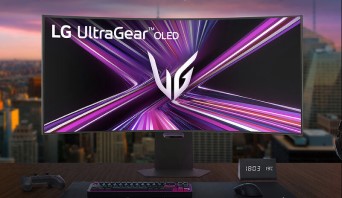
If your chosen computer type is a tower, the next step is finding the perfect gaming monitor. Look for the highest resolution that fits within your budget. While 1080p is the most popular resolution as of this writing, choosing a higher screen resolution is a good way to future-proof. As for screen size, the ideal range is somewhere between 19 and 27 inches. If you're thinking of using a regular TV as a computer monitor, don't! As we've mentioned elsewhere, a monitor will bring you much better results, especially a gaming monitor.
Consider an All-in-One desktop to avoid the hassle of picking a monitor separate from a traditional computer tower.
Accessories
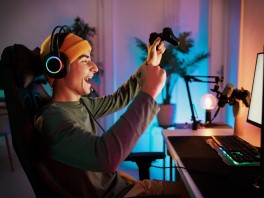
Once your computer and monitor are set, it's time to choose some gaming accessories. There's an enormous selection of computer mice and computer keyboards with the function you need and the style you like. If you're looking to add some color to your setup, it's easy to find accessories with RGB lighting. Don't forget about gaming headsets to keep sound contained during those late-night campaigns!
Lighting
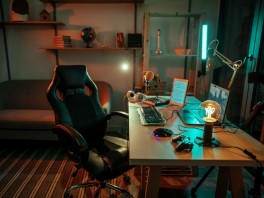
Proper lighting for your gaming lair is extremely important to avoid eye strain, especially during marathon sessions. Ultra-bright lighting can be just as damaging to your eyes as pitch dark, so a middle ground is ideal; the brightness level emanating from the screen should match the brightness level in the room as closely as possible. It's also important to minimize onscreen glare by tilting your monitor away from windows during daylight hours.
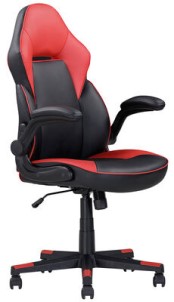
Seating
You can't play at peak performance if you're uncomfortable, so make sure your gaming space is outfitted with the perfect kind of seating. Raised gaming chairs are generally available in two types: task chair, and racing style. Task chairs tend to be the more bare-bones type, making them a generally more budget-friendly option. Depending on the model, desk chairs can include features like a breathable mesh back and support cushioning. If you're looking for more bells and whistles, a racing-style chair is the way to go. These chairs typically have a very high back, strategically-placed cushioning, and sometimes extra features like built-in speakers near the headrest.
Ready to create the perfect home gaming zone? Start building your gaming space today!