How to Connect a Soundbar to a TV
Posted on May 18, 2026 By Mike M.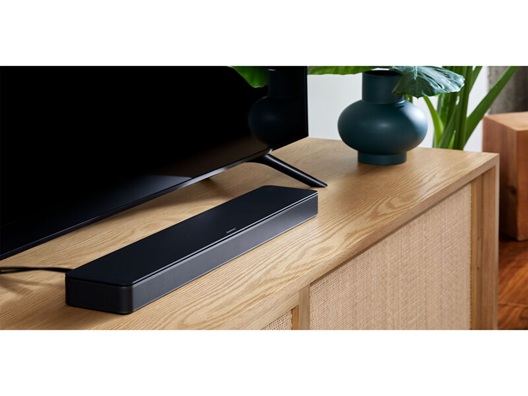
Upgrading your home theater audio is one of the most impactful ways to enhance your viewing experience. While modern TVs offer stunning 4K and 8K visuals, their slim profiles often leave little room for powerful speakers. Learning how to connect a soundbar to your TV is the quickest way to achieve cinematic sound, whether you're watching the latest blockbuster or just enjoying some gaming.
In this guide, we will cover:
- Why HDMI cables are the gold standards for audio.
- How optical cables are reliable, high-quality digital alternatives.
- The pros and cons of using Bluetooth for audio.
- How to position your soundbar for the best soundstage.
- Answers to common connection questions.
HDMI Cable (ARC/eARC)
Using an HDMI cable is widely considered the best method for connecting your soundbar to your TV due to its simplicity and power. Most modern smart TVs feature a specific port labeled HDMI ARC (Audio Return Channel) or eARC (Enhanced Audio Return Channel) designed specifically for high-quality audio, so all you'll need to do is plug and play.
- Superior Sound Quality: HDMI is the only connection that supports premium uncompressed audio formats like Dolby Atmos.
- One-Remote Control: Thanks to CEC (Consumer Electronics Control) technology, using an HDMI connection usually allows you to control your soundbar volume using your standard TV remote.
- Simplified Setup: HDMI ARC allows audio and video signals to be transmitted through the same cable, reducing wire clutter behind your media console.
Optical Cables
If your TV is an older model or you're already using your HDMI ports for video game consoles, a digital optical cable is an excellent secondary option.
- Reliable Digital Signal: Optical cables use light to transmit audio data, making them immune to the electromagnetic interference that can sometimes affect copper wires.
- Universal Compatibility: Almost every TV and soundbar manufactured in the last decade includes an optical port, making this a fail-safe connection method.
- Solid Performance: They can perfectly handle 5.1 surround sound, providing a massive upgrade over built-in TV speakers.
Bluetooth
For those who want a no-wires minimalist look, Bluetooth offers a convenient wireless setup. This can be a particularly good option for wall-mounted TVs where hiding cables might be difficult.
- Cord-Free Convenience: You can pair your soundbar to your TV just like you would a pair of headphones, keeping your entertainment center looking sleek and modern.
- Placement Freedom: The lack of wires also means you can place a Bluetooth-connected soundbar anywhere in the room you need to for the best sound quality, as long as it's still within range of the TV.
- The Latency Trade-off: The biggest hurdle with Bluetooth is potential audio lag or sync issues. Because the signal is compressed and sent through the air, you may notice a slight delay between a character's lips moving and the sound coming out of the soundbar.
Soundbar Position
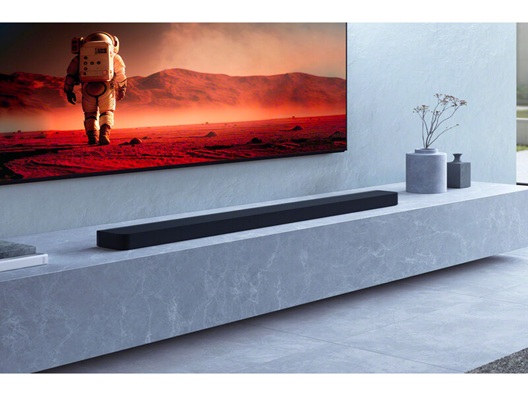
Where you place your soundbar is just as important as how you connect it. Proper positioning ensures that the audio reaches your ears exactly as the sound engineers intended.
- The Center Rule: Centering your soundbar directly above or below your TV screen ensures that dialogue feels like it is coming from the actors' mouths rather than from one side of the room.
- Avoid Obstructions: Make sure the soundbar isn't tucked too deeply inside a cabinet shelf. The up-firing or side-firing speakers found in many premium models need clear paths to bounce sound off your walls and ceiling.
- Compact Solutions: If you have limited space on your TV stand, look for compact soundbars or all-in-one models that deliver deep bass without the need for a separate subwoofer.
FAQs
Why is there no sound coming from my soundbar even though it's plugged in?
Check your TV's audio settings. Some TVs require you to manually switch the audio output from "Internal Speakers" to "Optical" or "HDMI ARC." Also, ensure the "Digital Audio Out" format is set to "Auto" or "Bitstream."
Do I need a special HDMI cable for a soundbar?
For standard audio, a regular High-Speed HDMI cable works fine. However, if you are using a high-end soundbar with Dolby Atmos, you should use an Ultra High-Speed HDMI 2.1 cable to ensure there is enough bandwidth for the uncompressed signal. The better cable can properly process the high-quality audio you're going to get from an Atmos-enabled soundbar.
Can I connect my soundbar to my TV using both HDMI and Optical at the same time?
There is no benefit to using both. Your TV will only output sound through one source at a time. It is best to choose HDMI ARC as your primary connection and only use Optical as a backup if HDMI isn't an option.
Connecting a soundbar is the most effective way to bridge the gap between good and great home entertainment. Whether you choose the high-fidelity route of HDMI or the sleek convenience of a Bluetooth connection, the result is a deeper, more immersive soundstage that brings your content to life. Pick up the right cables today and transform your living room into a true home cinema!