How to Improve TV Sound for Live Sports
Posted on April 15, 2026 By Mike M.
While a crisp, high-definition TV picture is usually the first priority for soccer fans, the audio of a match is just as vital to the experience. From the roar of the crowd after a goal to the sharp sound of the referee's whistle, the atmosphere of the game relies heavily on your speakers. However, the thin build of modern TVs means they can sometimes struggle to deliver that stadium-sized sound. If you've ever found yourself constantly riding the volume button during a match, these tips will help you get the most out of your audio setup. Read on to find out about:
- Dialogue Enhancement
- Auto Volume
- Soundbars
Why Can't I Hear Commentary Clearly on My TV?
There is nothing more frustrating than trying to listen to the play-by-play while the roar of the crowd completely drowns out the announcer. This usually happens because of the way modern sports are broadcast: Most networks mix the audio to be immersive, meaning they intentionally boost the volume of the stadium microphones to make you feel like you're in the stands. While this sounds great in theory, most modern TVs have tiny speakers that face downward or backward. These speakers struggle to separate the deep rumble of a cheering crowd from the higher frequencies of a commentator's voice. When these sounds clash, the dialogue ends up buried in the middle of the muddy audio mix, making it hard to catch the names of players or key referee calls.
How Can I Make My TV Sound Better for Sports?
You don't always need new equipment to see a major improvement! Most TVs have audio tools right in the settings menu that can help balance the scales between the crowd and the booth.
- Dialogue Enhancement: Look for a setting called something like "Clear Voice," "Voice Zoom," or "Dialogue Boost." This uses digital processing to specifically lift the frequencies of human speech without raising the overall volume of the game.
- The Right Sound Mode: While it is tempting to use "Sports Mode," this setting often emphasizes surround effects like the stadium atmosphere. If you're struggling to hear the announcers, try switching to Standard Mode or even Movie Mode, which is often tuned for clearer dialogue.
- Automatic Volume Adjustments: If the sudden spikes in volume from a loud whistle or a goal celebration are too much, TVs with "Auto Volume" features can help. This levels out the audio so the loudest and quietest parts of the broadcast are closer together.
Do I Need a Soundbar for Watching Soccer?
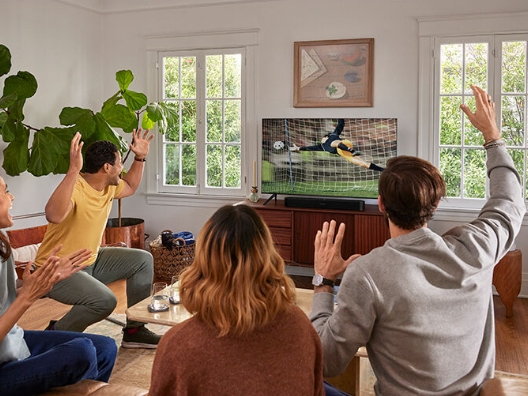
While built-in speakers have improved, they can't always move enough air to replicate the thump of a soccer ball being kicked or the wide soundstage of a stadium. A soundbar is a popular choice for soccer fans because it physically separates the audio channels. Many soundbars feature a dedicated center channel speaker. In a sports broadcast, the announcers are almost always sent to that center channel, while the crowd noise is sent to the left and right. By having a physical speaker dedicated solely to the commentary, you get a natural clarity that software settings alone can't quite match. Additionally, the added bass from a soundbar allows you to feel the energy of the crowd without having to turn the volume up to a distracting level. If you find yourself struggling to hear everything you want to hear, even after adjusting your settings, a soundbar might be right for you.
Achieving great sound is all about finding the right balance between atmosphere and clarity. By taking a few minutes to dive into your TV's audio menu or using an external speaker setup, you can ensure that you never miss a crucial piece of commentary again. When the whistle blows and the match begins, having your audio dialed in makes every goal and every chant feel like you have a front-row seat. With the right picture and sound working together, your living room truly becomes the best seat in the house!
Recommended Settings
Dialogue Enhancement: On, if you want clearer casting.
Sports Mode: Off, if crowd is too loud.
Auto Volume: On, if volume is jumping around.