






Rated 5 out of
5
by
Woody from
Great prints
Easy to set up.
Runs quiet.
Color quality is great.
Date published: 2026-10-20
Rated 5 out of
5
by
Merv Adrian from
Great value and great performance
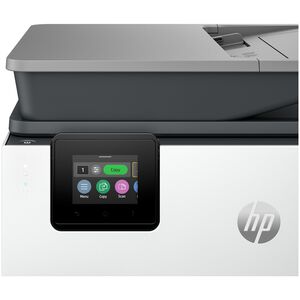
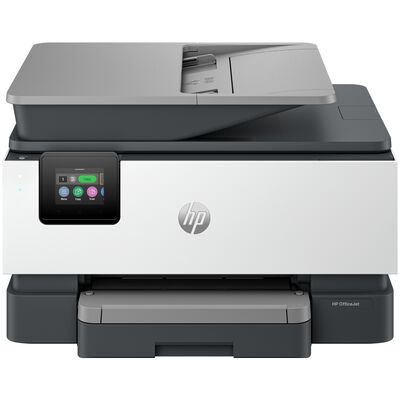
The OfficeJet Pro 9125 has proven to be. great buy for me - it has offered great value for the price and performance is terrific - the feeder, the print quality, two-sided printing.
Date published: 2026-10-18
Rated 5 out of
5
by
ANTIONETTE from
HP Printer
The printer operates really well, the color is sharp when it print, and I just love all of the other features it offers.
Date published: 2026-10-18
Rated 5 out of
5
by
Kalindoggie from
Great printer
Using in my home and it was easy to setup and use. I can send printing to my home from miles away remotely. Really love it.
Date published: 2026-10-17
Rated 5 out of
5
by
Cindy from
Great
Love the product, installation done very professionally.
Date published: 2026-10-17
Rated 5 out of
5
by
Bob from
Perfect replacement
Excellent choice to replace my old HP Office Jet Pro
Date published: 2026-10-16
Rated 5 out of
5
by
Burnie from
works as it should, is fast
using for minimal home printing
Date published: 2026-10-16
Rated 5 out of
5
by
Xiomara from
I am getting to know my printer and it features.
I like the printer very much. I give the product 5 stars. I started using it the moment I received it.
Date published: 2026-10-14
Rated 5 out of
5
by
Anonymous from
HP OfficeJet 9125
Excellent rating once it got connected. Problem with connecting was that Apple's updated OS deleted some HP links. The workaround on that clicked perfectly. Set up for Air Print.
Date published: 2026-10-14
Rated 5 out of
5
by
Tara from
great printer!
Great printer, easy set up and ease of use. The wi-fi and bluetooth are great additions and work as listed.
Date published: 2026-10-13
Rated 5 out of
5
by
Anonymous from
Great small office printer
We replaced our old HP Inkjet printer with this one. We got it for a great price. Set up was very easy! We were printing within 10mins out of the box. We highly recommend!
Date published: 2026-10-13
Rated 5 out of
5
by
Weh from
Love it
Easy to work, fast printing, and great color
Date published: 2026-10-12
Rated 5 out of
5
by
Anonymous from
It was easy to set up and prints well.
Date published: 2026-10-12
Rated 5 out of
5
by
Anonymous from
HP perfection...
Just had for a couple weeks, so far so good. Check back in a couple months...
Date published: 2026-10-12
Rated 5 out of
5
by
John B. from
Great Printer
I formally had another HP for 12 years that finally gave up. The 9125 is a similar model except it has one paper tray rather than two like my old one had. This printer is perfect for printing pictures, charts, and pretty much anything else I need to be printed. It also scans and prints as well as copy and prints. I don't use the Fax option but I'm sure it works well too. Great printer, easy to set up and great quality prints. Thanks HP!
Date published: 2026-10-11
Rated 5 out of
5
by
HP from
Not a set savy person.
Not easy setting up!
Date published: 2026-10-11
Rated 5 out of
5
by
Chris Burns from
Easy set up
Date published: 2026-10-11
Rated 5 out of
5
by
Anonymous from
Great machine.US
Using in home for crafting. Printing designs, reducing and enlarging.
Date published: 2026-10-10
Rated 5 out of
5
by
Anonymous from
HP OfficeJet Pro 9125
My old HP OfficeJet Pro 9018 quit working. I wanted a new one, but HP no longer makes that model. So, I settled for the 9125. I am extremely please. It does all the things the old HP did. The only issue is that the new HP does not use the same printer cartridges as the old one. One thing I would suggest is that the installation instructions might need to include a sentence that the printed might need to be rebooted before the installation can complete itself. I had this issue.
Date published: 2026-10-10
Rated 5 out of
5
by
Christine from
Surprised by the Price for Great Quality
I have an HP laptop and love it. I was really surprised to get such a great printer with so many features at such an affordable price. HP has great products for affordable prices. I highly recommend this printer.
Date published: 2026-10-10
Rated 5 out of
5
by
HP Person from
Enjoying my new Printer
I had an HP 8600 Office Jet Pro and it was still working great. Unfortunately my wifi from FIOS was updated and now on 5G. The HP 8600 wasn't capable of 5G as it didn't have the bandwidth. I purchased this one and it was so easy to set up and get up and running. I love the tray for scanning. I had to scan 22 pages and it worked like a dream. I did not get the free instant ink. I do not do enough printing to warrant buying it that way. Copies come out quick and am not disappointed with anything. I would recommend this printer to everyone.
Date published: 2026-10-08
Rated 5 out of
5
by
Douglas Kirk from
Excellent quality at a very reasonable price!
I had the model prior to this which served me well for more than four years. It was seamless chaffing this printer, scanner copier, and setting it up. Quality and affordability.
Date published: 2026-10-08
Rated 5 out of
5
by
C Burnett from
Excellent printer
I love the ease of use and the versatility and quality of this printer
Date published: 2026-10-07
Rated 5 out of
5
by
Anonymous from
Printer Review
I like how fast the pages print
Date published: 2026-10-06
Rated 5 out of
5
by
Edwin from
Quality
So far so good , this HP works from anywhere. I can send a document from anywhere to my printer and it will print, awesome
Date published: 2026-10-06
Rated 5 out of
5
by
Bryan from
Great small business printer
Easy installation, solid color and speed is very good for the price.
Good Duplex.
Does everything we need it for.
Date published: 2026-10-05
Rated 5 out of
5
by
Marvin. from
Printer works very well.
Using mostly the printer.
Date published: 2026-10-05
Rated 5 out of
5
by
Work printer user from
Good printer, but instant ink seems like a scam
The Printer is nice and the prints come out great. I really don't understand the emphasis on this instant ink And 3 months free. It seems like I won't be needing ink for 3 months so this is just a ploy to get my credit card.
Date published: 2026-10-05
Rated 5 out of
5
by
TNA from
Setup was a little challenging however once that was done the printer is excellent.
I like this printer because it allows me to use mobile faxing verse LAN line. Absolutely wonderful.
Date published: 2026-10-05
Rated 5 out of
5
by
Anonymous from
The Printer Works Well
The printer has all the functionality I need and it performs them perfectly! Printing, scanning, two-sided are performing well. Unlike my last printer, it feeds paper without a hitch. It is an excellent printer!
Date published: 2026-10-04