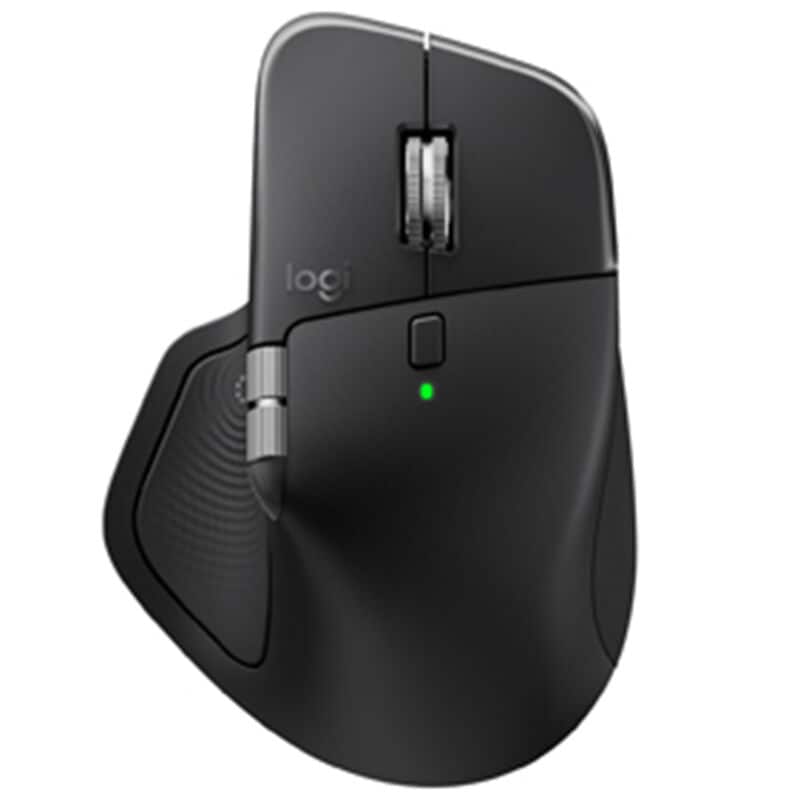
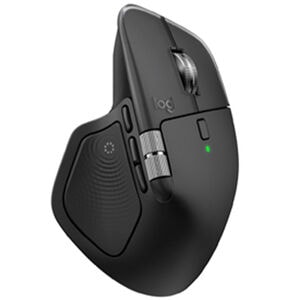
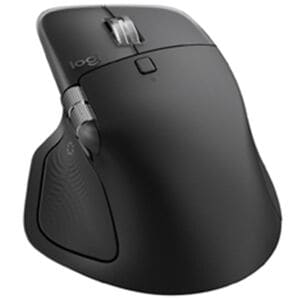
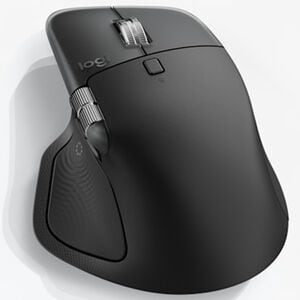
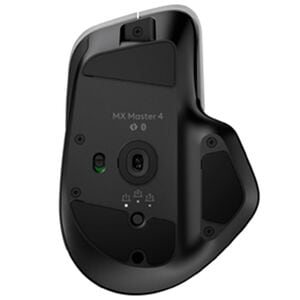

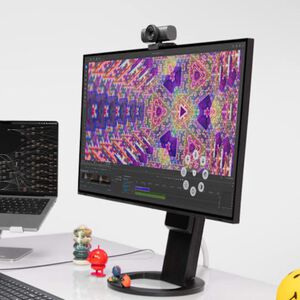
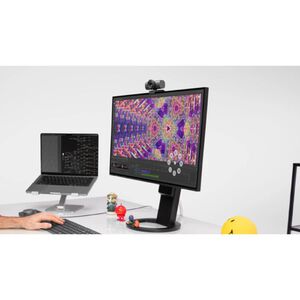

Logitech MX Master 4 Wireless Ergonomic Bluetooth & USB Mouse Wireless Mouse - Black
$119.99
About this Item
Product Height
5.05 Inches
Product Width
3.48 Inches
Product Depth
2 Inches
Product Weight (lbs.)
5.29 Lb(s)
Type
Wireless Mouse
Color
Black
Made for Gaming
-
Mouse Speed
-
Power Source
Battery Powered
Additional Features
Immerse yourself with the Haptic Sense Panel, Scroll 1,000 lines per second, Track on any surface, even glass* with the 8K DPI sensor
Warranty Terms - Parts
12 Month(s)
Warranty Terms - Labor
12 Month(s)
Rated 5 out of
5
by
D.C. from
MX Master 4
MX Master 4 is a nice addition to my home office. Very quiet and multi-functional.
Date published: 2025-12-22
Rated 5 out of
5
by
BEB383 from
Logitech MX Master 4 Review: The Best Gets Better (Small Caveat)
After three months of daily use across work, freelance web design/scripting/video editing, and general productivity, I can confidently say the MX Master 4 is the best mouse on the market.
Coming from the MX Master 3, Microsoft mice, and the occasional stint with Apple's Magic Mouse, the MX Master 4 immediately impressed me with its build quality and refined performance. The tracking is superb—precise and consistent across every surface I've thrown at it. The scroll wheel remains a standout feature with excellent feel and the new haptic feedback adds a satisfying tactile response that enhances the experience without being gimmicky.
Comfort is where this mouse truly excels. It fits the hand naturally and supports long work sessions without fatigue. Battery life has been excellent, and Bluetooth connectivity was seamless once initially paired. The multi-device switching is a genuine productivity booster for anyone juggling multiple computers.
My only critiques are minor. The thumb button, while well-executed, simply isn't part of my workflow—and I occasionally trigger it when repositioning the mouse or pushing it rightward, which gets slightly annoying. Additionally, the top profile of the mouse rises to a sharper angle than previous versions. It's not uncomfortable, but it's right at the threshold of being uncomfortable. Any further and it would start pressing into the wrist in a way that detracts from the ergonomics.
These are small observations on an otherwise outstanding product. If you're in the market for a premium productivity mouse, the MX Master 4 sets the standard.
Date published: 2025-12-19
Rated 5 out of
5
by
Sviat from
Amazing Experience!
The Logitech MX Master 4 is hands down the best mouse I’ve ever used. The sleek black design feels premium, and the ergonomics are perfect for long hours of work or gaming. The scroll wheel is incredibly smooth and precise, while the customizable buttons make multitasking effortless. Battery life is outstanding—I barely have to think about charging it. The wireless connection is rock‑solid with zero lag, and switching between multiple devices is seamless.
This mouse has truly elevated my productivity and comfort. Logitech nailed it again—worth every penny!
Date published: 2025-12-18
Rated 5 out of
5
by
Anonymous from
Premium feel
Premium build feel. Has extra gadgets I don't use, but they do not feel like a burden to have. I do not accidentally press the extra buttons really.
Date published: 2025-12-18
Rated 5 out of
5
by
Anonymous from
An improvement on the already fantastic MX series
I didn't look for improvement on my previous MX mice, but Logitech did it. The clicks are so quiet, which I didn't really like at first. But I quickly got used to it, because my other MX mice now sound cheap and clicky in comparison.
The thumb rest has a button that I don't use, and it's easy to click when moving the mouse to the right. It brings up a nice context menu. I am sure you can disable it with the Options software, but I have left it on because it isn't in the way and I may learn to use it. I will give it a chance. The mouse overall is very smooth and comfortable.
Date published: 2025-12-17
Rated 5 out of
5
by
Eddiedays93 from
Worthwhile purchase for a frequent computer user
Smooth feel, great on the wrist. A great investment if you’re on the computer for a few hours a day!
Date published: 2025-12-14
Rated 5 out of
5
by
David from
MX Master 4
This would be the first mouse I've bought honestly. i wanted something to match my keyboard but also no make my wrist tired or pain.
I've been using this for about 2 months now and its been amazing i love how fast it scrolls and stops, the click are so quite.
i also work as a salesmen so i use this everyday with no problem
Date published: 2025-12-13
Rated 5 out of
5
by
Kenb from
Logi Mice
Great mouse. Easy to use, easy on the hands. Love the haptic feel and saves time of hunting for other settings.
Date published: 2025-12-13
Rated 5 out of
5
by
MarkTheAdministraror from
A worthy upgrade
I've been using the second generation MX master for quite a long time. I had been holding out on upgrading because the changes seem to be minimal. Adding haptic feedback has changed the game. Setting up the action ring is still quite the learning curve, but I'm having fun coming up with new ideas for layouts. Unfortunately, the customization software could use some work. Messing with icons and fonts is a nightmare and often doesn't result in what I want.
Date published: 2025-12-10
Rated 5 out of
5
by
Anonymous from
Best productivity mouse on the market.
Great mouse, love the thumb scroll. This is my 3rd generation of this mouse. Better everytime.
Date published: 2025-12-10
Rated 5 out of
5
by
GPT-CT from
MX Master 4 - Most Customizable Mouse
I use the MX 4 more than I use the keyboard. Programmable buttons with a wide selection of options to make navigating apps and web sites quick and easy.
Date published: 2025-12-09
Rated 5 out of
5
by
Chris from
Great mouse
Love the mouse, all of the actions feels crisp and refined. Weight is great. All in all the best mouse you can find
Date published: 2025-12-08
Rated 5 out of
5
by
Tabdsm from
MX Master 4 after 90 days
Excellent product as usual for the MX Master. My only issue with pretty much all the Logitech mice are my hands are a size 11 which doesn’t fit well with really any manufacturer. Would love a “Large” size option, but I have zero issues with the performance of the mouse and app. Again great product, have bought the Ergo, Lift and all 4 models of the MX Master and this is my favorite mouse.
Date published: 2025-12-07
Rated 5 out of
5
by
Wilderness Brad from
Multi-Surface
We needed to replace some older mice that did not always work on glass desk surfaces. These work well on all surfaces that we've tried.
Date published: 2025-12-03
Rated 5 out of
5
by
Anthony W. from
Improved and advanced
Great improvement from the MX Master 3. The functionality of the 4 is reliable and precise. I love the way the fitting of the mouse sits in my palm with little to no effort gliding across the desk. The Actions Ring is an added bonus for functionality where I can customize which apps/actions Id like to execute.
Date published: 2025-12-02
Rated 5 out of
5
by
Niall Miner from
They've Somehow Done It
This mouse is without a doubt the best mouse for day-to-day work. I used to use the previous version which I thought was nearly perfect, except for the fact that it would deteriorate over time, but this mouse does now. The fact that the thumb button is even more of a button and the press action is more of a horizontal squeeze rather than a vertical press is perfect. It is extremely easy to set up and connect, and has an insanely long charge and does not need to be turned off in between uses.
Date published: 2025-12-01
Rated 5 out of
5
by
alina_keita_8146 from
Good
[This review was collected as part of a promotion.] The Logitech MX Master 4 delivers exceptional precision and comfort, making it perfect for long work sessions. The scroll wheel is incredibly smooth and fast, and the customizable buttons make multitasking much easier. Its sleek black design feels premium and sits perfectly in the hand.
Date published: 2025-11-30
Rated 5 out of
5
by
Fred from
Love the programable buttons
1 click Cut, Copy, Paste and Start for me.
Big time and click saver.
Logitech products are the best.
Date published: 2025-11-28
Rated 5 out of
5
by
TGuy from
Buttery Smooth
Big fan of the MX Master 4, the clicks are like butter and nice to be able to set each of the buttons to different macros to fly through excel
Date published: 2025-11-27
Rated 5 out of
5
by
MikeInWV from
Great mouse and looks great
This is a very nice mouse. I'm very happy with it. It took a little getting used to because of it's weight especially after using a small wired mouse. The settings menu comes up with a click of the side button and there are lots of readily available options for different settings. I'm not really a gamer besides slow moving games for old people but the mouse feels great in your hand. The battery lasts a really long time as well.
Date published: 2025-11-25
Rated 5 out of
5
by
Jon T from
Pleasant upgrade from my MX Master 1
I upgraded from an MX Master 1. Definitely an improvement. Everything just feels a little more solid. I primarily just use the primary buttons, both scrollwheels, and the backwards and forwards buttons. But they all work great. The "silent" primary buttons are a nice touch over the more clicky buttons on the MX Master 1. Charging via USB-C is nice as well. (One day I'll be able to finally retire all my micro-USB cables...)
It is slightly hard to pick up, just because of the increased weight and slightly different shape. Not a huge deal though.
Date published: 2025-11-24
Rated 5 out of
5
by
nykig1_295 from
High functioning sophisticated mouse
[This review was collected as part of a promotion.] I paired with my MacBook Pro and it works like a charm. Buttons are easy to use and lightning fast. I really use this more than my Mac one and so much better functionality than the Mac one. Love this.
Date published: 2025-11-23
Rated 5 out of
5
by
Steamer from
Love this mouse
the mouse is smooth and responsive. I'm an artist and the control is precise
Date published: 2025-11-22
Rated 5 out of
5
by
Carronade from
Great Mouse
This mouse is very ergonomic and has excellent features. I have more control over my machine.
Date published: 2025-11-22
Rated 5 out of
5
by
jenreviewsthings_8180 from
I love this
[This review was collected as part of a promotion.] I love my new Logitech MX Master 4 wireless mouse. The ergonomics of the mouse make it so comfortable to use. My palm rests comfortably and it makes it easy to use all day.
It’s super easy to pair to any laptop with a usb c receiver. I currently use it with my MacBook and paring and usage is seamless. This is also rechargeable so no more searching for batteries!
I love how fast the scroll wheel goes. Makes it so easy to scroll sites with long pages. The buttons are super quiet but you can still feel the clicks. The haptic sense panel is actually quite useful. It has shortcuts to apps and actions I use through out the day on the desktop but also within certain apps like photoshop and zoom.
You do need to download their app to make any customizations to your mouse’s actions.
Date published: 2025-11-21
Rated 5 out of
5
by
tjust_7037 from
Major upgrade for productivity!
[This review was collected as part of a promotion.] As someone who works remotely and enjoys hobbies like 3D modeling and computer gaming, switching to the MX Master 4 has been nothing short of impressive. The mouse has all the productivity shortcuts you could think of, and the horizontal scroll wheel is a major upgrade. As someone who works frequently in spreadsheets, this has already come in handy. The wheel is the perfect amount of slow tension and can be customized using the Logitech software to work differently. When using a mouse for hours on end, the clicking and scrolling sounds can become quite annoying, but the left and right mouse button clicks are completely silent with the MX master 4. The action ring button is one of my favorite features. It allows you to activate a ring of selections around your cursor on the screen and switch between programs and apps with ease. The mouse was easy to setup thanks to my computer immediately recognizing the mouse and prompting to download the software. I also can’t say enough about the rechargeable capability! No more switching out batteries every few days. One charge lasts about 70 days and charging is simple via USB-C. Overall, the mouse has great features, performs seamlessly and holds a charge longer than any other I’ve used in the past.
Date published: 2025-11-21
Rated 5 out of
5
by
cynthias286_517 from
Fast speedy easy to set up
[This review was collected as part of a promotion.] The Logitech MX Master 4 is honestly the easiest mouse I have ever connected. I took it out of the box, turned it on, and it paired in just a few seconds without me having to figure anything out. It felt really fast and modern right from the start. There is no lag at all and the scrolling and movement feel smooth and responsive. The haptic actions and shortcuts make it feel very high tech, and the overall speed makes everything on my laptop feel quicker.
I also really like how comfortable it is. The shape fits my hand in a natural way and it feels ergonomic even when I use it for a long time. The clicks are quiet and the texture has that nice soft finish that makes it feel more premium. It also tracks on any surface, which is helpful since I move around a lot when I work.
The design is clean and the black color looks sleek. The battery life is very impressive and the idea that it can stay powered for up to seventy days makes it even better. I like that it is made with recycled materials. It has a nice balance between being stylish and being practical.
Date published: 2025-11-20
Rated 5 out of
5
by
Nate from
My favorite mouse in I'm not sure how long
Feels great in your hand and great weight. The haptic feedback is great and the shortcuts button has been super helpful, either just one the desktop or in my frequently used apps like Figma.
Would buy again (and might for a travel mouse) 100%!
Date published: 2025-11-20
Rated 5 out of
5
by
Zip~ from
If this is your first or 3rd MX Mouse, you'll be blown away by it
I've been an MX Master Mouse fan since the First release many, many years ago. They all still work and are used often on various computers. When I upgraded to the MX 4, and MX Mechanical from the MX 3 and G613, the transition and set up was easy, seamless and since putting them in use, it's really changed my computing and typing to a whole new level. The options on the MX 4 are fully customizable and you can import your previous Logitech MX mouse settings with a simple click of the button in the set up. Changing or adding functionality is also super simple with the presence of the Logitech Options+ software. It is truly an awesome upgrade from previous MX Mouse generations. Even for a novice like myself, set up was super easy and the versatility to connect via the Dongle or via Bluetooth to three items is a must carry over from previous Mice.
Date published: 2025-11-19
Rated 5 out of
5
by
PGFIXIT from
BEST MOUSE EVER
[This review was collected as part of a promotion.] FOR THE LAST COUPLE YEARS I ONLY USE MX MASTER MOUSE
Date published: 2025-11-19