




Rated 5 out of
5
by
Jeey from
Great mouse
Smooth Mouse I enjoy how comfortable it is my hand is thankful
Date published: 2026-02-09
Rated 5 out of
5
by
Brian from
Best Mouse I've ever used
I upgraded to this mouse from an apple mouse. Unreal difference. Amazing features and so smooth to use.
Date published: 2026-02-09
Rated 5 out of
5
by
PMon from
Comfortable and portable
Is a good size for bringing with me everywhere I take my laptop and at the same time good to rest my hand
Date published: 2026-02-07
Rated 5 out of
5
by
BigSave from
Great mouse!
This mouse has great features. Very satisfied and would recommend.
Date published: 2026-02-06
Rated 5 out of
5
by
Alif from
Great Mouse.
I like the mouse. It is convenient and practical for office use.
Date published: 2026-02-03
Rated 5 out of
5
by
Giorgi from
Best
Excellent product ……………………………………………………./……………………..
Date published: 2026-01-28
Rated 5 out of
5
by
Karel from
Great mouse, amazing.
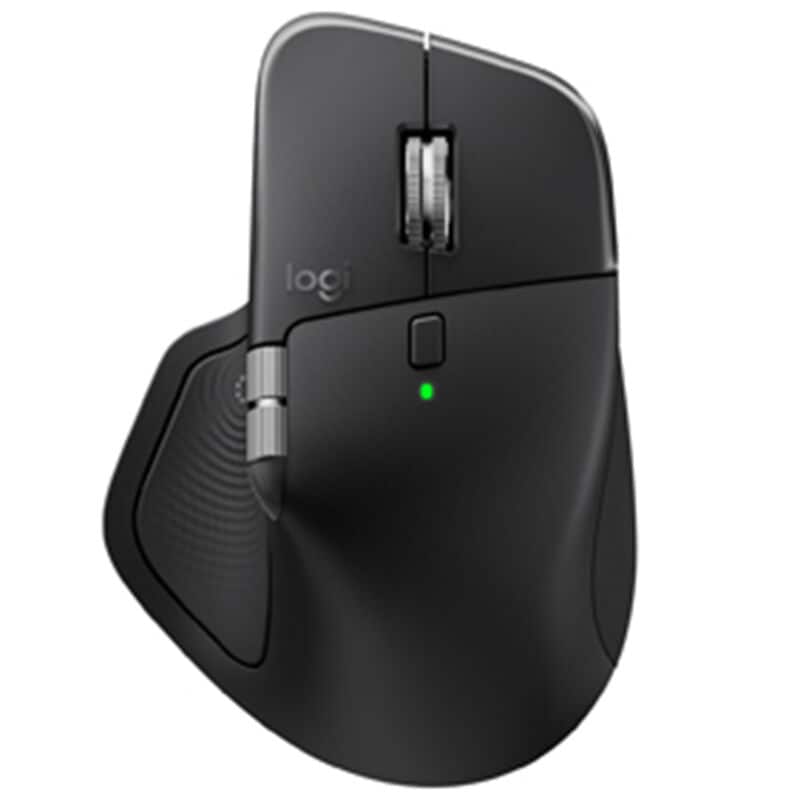
The Logitech MX Master 4 is outstanding. The ergonomic design is extremely comfortable for long work sessions, and the precision and responsiveness are top-notch. The scroll wheel is smooth and versatile, and the customizable buttons significantly improve productivity.
The Pale Gray finish looks clean and premium, and the battery life is excellent. Overall, this is a high-quality mouse that’s well worth the investment, especially for office and professional use.
Highly recommended.
Date published: 2026-01-27
Rated 5 out of
5
by
JD M from
Great to Level Up from MX Master 3
The MX Master 3 was a daily driver since 2020. The 4 has a better mouse casing (no rubber, easier to clean). It also has superior software accompaniment allowing you to customize the buttons. If youre in biz and are shifting between apps / in nuanced workflows, this is worth it (early on). I typically use an iso alcohol / water mix with compressed air weekly to keep the mouse clean 🤜🏻.
Date published: 2026-01-24
Rated 5 out of
5
by
alonehydroxylgroup_9865 from
Really nice haptic mouse with advanced features
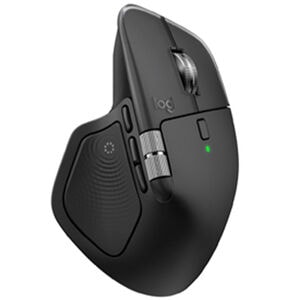
[This review was collected as part of a promotion.] I’m an engineer and I do a lot of programming in my day-to-day life, so I’m at my computer for anywhere from 8 - 12 hours a day, just for work alone. It’s crucial I have good hardware to get the job done. I’ve been testing the Logitech MX Master 4 for several months now, and it’s definitely up to the task. This is a wireless mouse with haptic feedback, and for starters, the connectivity is excellent. I didn’t have reason to use the mouse too far from my computer, but I never experienced any issues with it failing to connect or disconnecting at any point while I was using it. There’s very little ‘clickiness,’ which I like, as I prefer a softer click, and the mouse moves smoothly over a mousepad surface, though it’s nothing spectacular. It’s comfortable to rest my hand on, and I don’t have any issues with cramping after using the mouse all day. The scrolling is smooth with the wheel, and this mouse includes a MagSpeed wheel with smart shift—an advanced feature I’ve come to rely on because I can zip around pages with great ease. This mouse also has a thumb wheel, which isn’t common on mice, and it gives me a lot of precision and flexibility. I know I can configure it to perform specific functions through Logitech’s program (like have it scroll side to side when I’m in Excel, which would be super useful), but I haven’t yet done this. The mouse wheel on this MX Master 4 alone makes it worth it alone to me, and a good value, and the fact that this mouse is so comfortable, even as I use it for
hours of work. This mouse is just great at what it does. My only complaint is it doesn’t come with a charging cable.
Date published: 2026-01-21
Rated 5 out of
5
by
C Garcia from
Worth the upgrade!!
Excellent production mouse I am a drafting student and this mouse makes drafting seem like I have a video game controller with multiple programmable buttons and the new haptic thumb button is something every student should try!!
Date published: 2026-01-19
Rated 5 out of
5
by
Holnugget from
Very nice and comfortable
Better than version 3 but not necessary to upgrade.
Date published: 2026-01-19
Rated 5 out of
5
by
Clayton from
GREAT mouse!
Logitech, it seems, should stick with mouse innovation. That's their strong point! This mouse is amazing. Easier on the hand and wrist, all the needed functions are easily used.
Date published: 2026-01-07
Rated 5 out of
5
by
Kevin P. from
👍🏾👍🏾
Excellent mouse. The best I've owned thus far. No issues and meets all my needs. Just need to learn everything its capable of doing.
Date published: 2026-01-05
Rated 5 out of
5
by
ProjectExpert from
Works great with Adobe Creative Cloud many options best ever
Has many options for using Adobe Creative Cloud programmable
Date published: 2025-12-31
Rated 5 out of
5
by
aac1988 from
A def upgrade from the Master 3S
I love this mouse. I was hesitant to upgrade bc the 3S is already good but some differences here are the added button for better multitasking and the charge light is not as crazy bright as the 3S which would sometimes bother me at night bc I have my office setup in the same room.
Date published: 2025-12-30
Rated 5 out of
5
by
Brian from
Super Comfortable Mouse
Love this mouse, super comfortable. Only wish I had bought it sooner.
Date published: 2025-12-27
Rated 5 out of
5
by
David from
Amazing.
I stat using Logi MX since the second version. And this version is amazing
Date published: 2025-12-27
Rated 5 out of
5
by
KS Nelson from
The perfect mouse for me
This is the perfect mouse for me. It is very well constructed, has the right number of features/buttons, is the right weight (of all things), and so on including presets for various apps that I use frequently, and allows customizing for my specialty app SketchUp. It fits my hand. I guess as a further plus - I upgraded to the MX4 from a MX3 that I then setup for my wife.
Date published: 2025-12-24
Rated 5 out of
5
by
Xime from
Logitech people had when they said HAPTIC
I really enjoy using my MX MASTER 4. The quick access with the buttons and the wheel are two of the main perks of this mouse not to mention it had Haptic Features.
Date published: 2025-12-24
Rated 5 out of
5
by
D.C. from
MX Master 4
MX Master 4 is a nice addition to my home office. Very quiet and multi-functional.
Date published: 2025-12-22
Rated 5 out of
5
by
BEB383 from
Logitech MX Master 4 Review: The Best Gets Better (Small Caveat)
After three months of daily use across work, freelance web design/scripting/video editing, and general productivity, I can confidently say the MX Master 4 is the best mouse on the market.
Coming from the MX Master 3, Microsoft mice, and the occasional stint with Apple's Magic Mouse, the MX Master 4 immediately impressed me with its build quality and refined performance. The tracking is superb—precise and consistent across every surface I've thrown at it. The scroll wheel remains a standout feature with excellent feel and the new haptic feedback adds a satisfying tactile response that enhances the experience without being gimmicky.
Comfort is where this mouse truly excels. It fits the hand naturally and supports long work sessions without fatigue. Battery life has been excellent, and Bluetooth connectivity was seamless once initially paired. The multi-device switching is a genuine productivity booster for anyone juggling multiple computers.
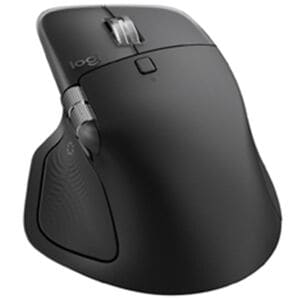
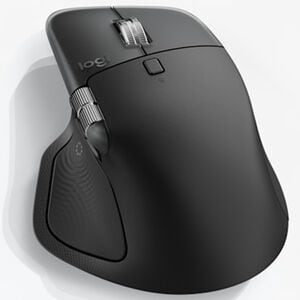
My only critiques are minor. The thumb button, while well-executed, simply isn't part of my workflow—and I occasionally trigger it when repositioning the mouse or pushing it rightward, which gets slightly annoying. Additionally, the top profile of the mouse rises to a sharper angle than previous versions. It's not uncomfortable, but it's right at the threshold of being uncomfortable. Any further and it would start pressing into the wrist in a way that detracts from the ergonomics.
These are small observations on an otherwise outstanding product. If you're in the market for a premium productivity mouse, the MX Master 4 sets the standard.
Date published: 2025-12-19
Rated 5 out of
5
by
Sviat from
Amazing Experience!
The Logitech MX Master 4 is hands down the best mouse I’ve ever used. The sleek black design feels premium, and the ergonomics are perfect for long hours of work or gaming. The scroll wheel is incredibly smooth and precise, while the customizable buttons make multitasking effortless. Battery life is outstanding—I barely have to think about charging it. The wireless connection is rock‑solid with zero lag, and switching between multiple devices is seamless.
This mouse has truly elevated my productivity and comfort. Logitech nailed it again—worth every penny!
Date published: 2025-12-18
Rated 5 out of
5
by
Anonymous from
Premium feel
Premium build feel. Has extra gadgets I don't use, but they do not feel like a burden to have. I do not accidentally press the extra buttons really.
Date published: 2025-12-18
Rated 5 out of
5
by
Anonymous from
An improvement on the already fantastic MX series
I didn't look for improvement on my previous MX mice, but Logitech did it. The clicks are so quiet, which I didn't really like at first. But I quickly got used to it, because my other MX mice now sound cheap and clicky in comparison.
The thumb rest has a button that I don't use, and it's easy to click when moving the mouse to the right. It brings up a nice context menu. I am sure you can disable it with the Options software, but I have left it on because it isn't in the way and I may learn to use it. I will give it a chance. The mouse overall is very smooth and comfortable.
Date published: 2025-12-17
Rated 5 out of
5
by
Eddiedays93 from
Worthwhile purchase for a frequent computer user
Smooth feel, great on the wrist. A great investment if you’re on the computer for a few hours a day!
Date published: 2025-12-14
Rated 5 out of
5
by
David from
MX Master 4
This would be the first mouse I've bought honestly. i wanted something to match my keyboard but also no make my wrist tired or pain.
I've been using this for about 2 months now and its been amazing i love how fast it scrolls and stops, the click are so quite.
i also work as a salesmen so i use this everyday with no problem
Date published: 2025-12-13
Rated 5 out of
5
by
Kenb from
Logi Mice
Great mouse. Easy to use, easy on the hands. Love the haptic feel and saves time of hunting for other settings.
Date published: 2025-12-13
Rated 5 out of
5
by
MarkTheAdministraror from
A worthy upgrade
I've been using the second generation MX master for quite a long time. I had been holding out on upgrading because the changes seem to be minimal. Adding haptic feedback has changed the game. Setting up the action ring is still quite the learning curve, but I'm having fun coming up with new ideas for layouts. Unfortunately, the customization software could use some work. Messing with icons and fonts is a nightmare and often doesn't result in what I want.
Date published: 2025-12-10
Rated 5 out of
5
by
Anonymous from
Best productivity mouse on the market.
Great mouse, love the thumb scroll. This is my 3rd generation of this mouse. Better everytime.
Date published: 2025-12-10
Rated 5 out of
5
by
GPT-CT from
MX Master 4 - Most Customizable Mouse
I use the MX 4 more than I use the keyboard. Programmable buttons with a wide selection of options to make navigating apps and web sites quick and easy.
Date published: 2025-12-09